As an Amazon Associate, we earn from qualifying purchases. Some links may be affiliate links at no extra cost to you. Although our opinions are based on curated research, we haven't used these products. Articles generated with AI.


How Do I Calibrate A Car’s Tire Pressure Monitoring System?

To calibrate your car’s Tire Pressure Monitoring System (TPMS), we start by ensuring all tires are inflated to the recommended pressure. For vehicles with a touchscreen, access the Vehicle section in the infotainment system and select TPMS Calibration. If your car lacks this feature, use the steering wheel controls to navigate to “Vehicle Settings” for calibration. Then drive between 30-60 mph for about 30 minutes to finalize the process. Don’t worry, we’ve got more handy tips and tricks ahead!
Key Takeaways
- Turn the ignition to the ON position and access the TPMS calibration settings via the infotainment system or driver information display.
- Inflate all tires to the manufacturer’s recommended pressure before starting the calibration process.
- Initiate TPMS calibration by selecting the appropriate button in the settings menu and confirming the action.
- Drive the vehicle at a steady speed between 30-60 mph for 20-30 minutes to allow the system to recalibrate.
- Monitor the TPMS light; it may flicker or blink during recalibration but should stabilize once complete.
Importance of Tire Pressure Monitoring System (TPMS)
You may be interested


When we think about the safety and efficiency of our vehicles, we often overlook one essential component: the Tire Pressure Monitoring System, or TPMS. This little hero helps us maintain tire safety, ensuring our tires stay inflated just right. Did you know that proper tire inflation improves fuel efficiency, too? Every drop in tire pressure can drain up to 0.4% of fuel economy! With TPMS, we can help extend tire longevity by avoiding uneven wear and tear, which leads to fewer trips to the tire shop.
Plus, TPMS isn’t just about convenience; it’s also about regulatory compliance, making it a requirement in many places. High-quality car care kits can assist in maintaining proper tire condition and pressure as part of your overall vehicle care strategy. So let’s take care of our vehicles, ensuring they stay safe on the road—TPMS has our backs!
Calibration Process for Vehicles With Touchscreen Infotainment
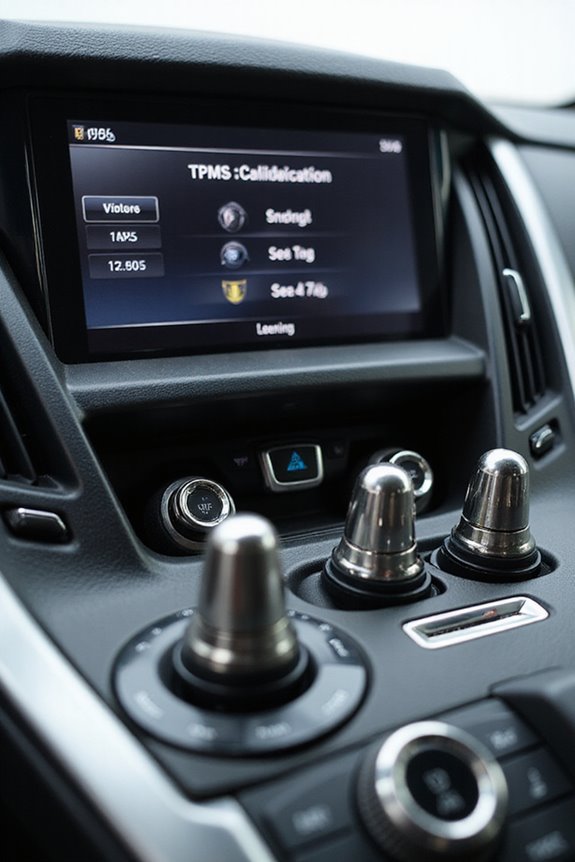
Calibrating your vehicle’s Tire Pressure Monitoring System (TPMS) using a touchscreen infotainment system might sound challenging, but it’s actually a straightforward process once you know the steps.
First, let’s turn the ignition to the *ON* position—no engine start needed. Next, we’ll explore the infotainment settings—don’t worry, it’s all touchscreen navigation! Head over to the *Vehicle* section and find the *TPMS Calibration* feature. Let’s press that *Calibrate* button to kick things off.
Remember to check that our tires are inflated correctly. Once we’re ready, we need to drive between 30 and 60 mph for about 20-30 minutes to complete the calibration. If everything goes well, the TPMS light will disappear, keeping us safe on the road! Properly calibrated tire pressure enhances vehicle performance, which can ultimately extend the lifespan of your CV axles.
Recommended Products
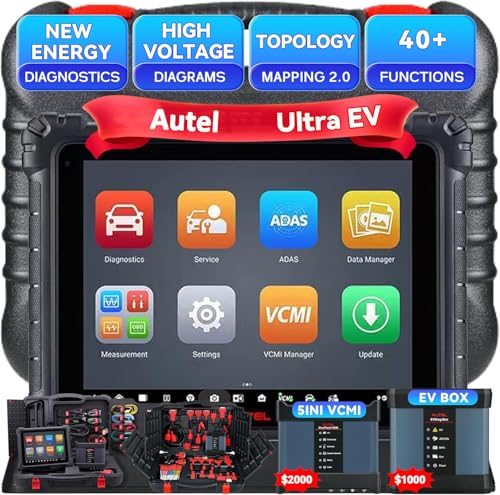
Autel MaxiSYS Ultra EV Diagnostic Tablet : The MaxiSys Ultra EV Autel scanner is a new generation of intelligent diagnostics for electric, hybrid, gas vehicles; AUTEL UltraEV provides a comprehensive analysis of electric and hybrid vehicles with expanded topology mapping and battery pack analysis ; The 12.9-inch UltraEV touchscreen tablet comes equipped with MaxiFlash VCMI (5-in-1) measurement device, Bluetooth-enabled vehicle communication interface and J2534 pass-thru programming device, and a dedicated EVDiag box

[Another Leap Forward - Autel MS909 S2] The MS909S2 sets a new benchmark for efficiency and accuracy with upgraded hardware and advanced diagnostic features that deliver near OEM-level diagnostics and service capability. It covers 15,000+ vehicles worldwide and provides many features like✅ Motor TruSpeed Repair, ✅topology mapping 3.0, ✅data stream 3.0 with enhanced PID snalysis, ✅Multi-Point DVI, ✅J2534 E-C-U pro-gram-ming & co-ding, ✅Max the hands-free virtual assistant, ✅48+ service, ✅active test, ✅15+ high-end functions, etc.

【Autel Ultra Lite is the Best Choice】Autel Ultra Lite is the 2026 most promising diagnostic scan tool combining the advanced features and the top-of-the-line hardware of MaxiSys Ultra/Elite 2 Pro/ MS909/MS919, plus 2 years of fre.e updates (worth 2590 Bucks) that Ultra don’t offer. Covers 20,000+ models globally, and Newest Motor TruSpeed Repair, , full topology mapping, J2534 p.roğramming & códing, 40+ services, 3000+Tésts, and 10+ pro-level functions. Faster, smarter, and more efficient.help you save time and win more business.This is the most cost-effective Autel intelligent scan tool at yet.
Calibration Steps for Vehicles Without Touchscreen

For those of us driving vehicles without a touchscreen menu, calibrating the Tire Pressure Monitoring System (TPMS) might seem a bit intimidating—but we’re here to simplify it. First, we’ll use our steering wheel functions to navigate to the driver information display. Look for the “Vehicle Settings” option and scroll until we find “TPMS Calibration.” Selecting it brings us to initialization—press “Yes” when prompted.
Make certain all tires are inflated to the manufacturer’s recommended pressure before we start, as that helps prevent any calibration errors. Once selected, we’ll wait for confirmation, usually indicated by blinking lights. If needed, we might hold the dedicated TPMS button until it blinks twice. Remember, calibration can vary by model, so checking our owner’s manual is smart!
Takeaway: Proper tire pressure and technique guarantee our TPMS works flawlessly!
Recommended Products

【2026 Autel MaxiSYS Ultra S2 with 2 Years Updates Real AI Scanner】Built to redefine professional diagnostics, Autel Ultra S2 AI scanner combines cutting-edge hardware with intelligent AI-driven capabilities for fastest, smartest repairs: Featuring a 13.7'' display, 13 OS, 8-core processor, 12GB+ 512GB, and 16MP camera. Equipped with advanced AI functions: Data-Driven PID Analysis, Topology 3.0 dynamic network mapping, 6IN1 VCMI2, AI-powered DVI, and “MAX” voice assistant.📌NOTE: This Autel Ultra S2 is South American Version has 2-year f-ree updates (worth 4000+ bu-cks), WITHTOU 1 year Motor TruSpeed Repair (Only worth 650bu-cks). If any questions, please 💌autelusa @ outlook. com.

🌈🌈【Autel Ultra S2: The Best Investment in 2026】Full-level up of the Autel Ultra/Ultra EV/MS909/Elite II Pro, 2026 flagship scanner Ultra S2 covers 15,000 models worldwide and features the Motor TruSpeed Repair Service. highlights include 👍Topology Mapping 3.0, 👍J2534 Programming & Coding, 👍Data-Driven Diagnostics with Enhanced PID Analysis, 👍Hands-F.ree Virtual Assistant (Siri), 👍EV Testing, 👍48+ Services, and 👍10+ High-End Functions for large auto workshops.

🚀【Autel Ultra ADAS is the Best Choice】Autel Ultra ADAS is the 2026 most promising diagnostic & ADAS calibration tool combining the advanced features and the top-of-the-line hardware of MaxiSys Ultra/MS909. Coverage 15,000 models worldwide, and Provides top-notch intelligent scan diagnosis, 🔥accurate ADAS system calibration for cameras & radars, topology mapping 2.0, J2534 programming & coding, 40+ services, OE- 3000+ tests, 10+ high-end functions.... This Autel Scanner Ultra Lite works faster, smarter, and more efficient, helping you save time and win more business
Post-Calibration Driving Requirements
After we’ve completed the calibration of our Tire Pressure Monitoring System (TPMS), we can’t rush the next important step: post-calibration driving. This vital phase requires us to drive for about 30 minutes, ideally at speeds between 48 km/h and 97 km/h (30-60 mph). It’s not about continuous driving; it’s the cumulative time that counts.
During this period, we may notice the TPMS light flicker on and off as the sensors engage in their learning process, recalibrating to our tire pressures. Remember, steady driving is key—stop-and-go traffic may hinder the sensor learning we need. Let’s avoid making any pressure adjustments during this time to guarantee accuracy for a smooth ride ahead! Additionally, ensuring you’re aware of decreased cooling efficiency can help you identify other vehicle issues that may arise during your driving.
Takeaway: Proper post-calibration driving is vital for a fully functioning TPMS.
Recommended Products

[ Autel MS906 Pro-TS, Comprehensive OBD2 Scanner Diagnostic Tool ] Autel scan tool: MS906 Pro-TS is a state-of-the-art diagnostic scanner designed for a wide range of vehicles, particularly those manufactured in the U.S., Asia, and Europe from 1996 onwards. MS906 Pro TS offers extensive TPMS services, all-systems diagnostics, and a suite of over 36 special functions. MS906 Pro TS equipped with advanced features and ADAS identification, ensuring thorough vehicle diagnostics and maintenance. Autel MaxiSYS MS906Pro TS better than MS906 Pro/MP900-TS/MS906TS/MS906BT/MK808S-TS/MP808S-TS/ MP808TS/MK808TS/ MX808S-TS, Same as MK906 Pro-TS.

【Why Choose LAUNCH scanner X431 PRO5】It is the original LAUNCH X431 scan tool, the 2026 upgraded version of PROS V+, X431 PRO3 and V+ 4.0, which is a worthwhile investment for repair shops and mechanics. LAUNCH X431 PRO 5, all is set to OE-level standards with 1) J2534 ECU Pro & 50+ service same as PAD Series; 2) Bi-directional control + All system diagnostics as Snap-on scanner; 3) Online Coding functions directly connect to OEM server; 4) Top-notch Topology Mapping function

[Autel MaxiCOM MK906 PRO] Equivalent to MS906 Pro with Enhanced Performance: Qualcomm 660 Octa-Core Processor, 4GB RAM + 128GB Storage, 8" 1920×1200 HD Touchscreen, and 11,600mAh Battery (Up to 14 Hours of Continuous Use) for All-Day Diagnostics. It also supports Advanced E.CU Functions, Full-System Diagnostics, 40+ Services, 3000+ Tests, FCA AutoAuth, 30+ Protocols & More.
Common Errors and Troubleshooting
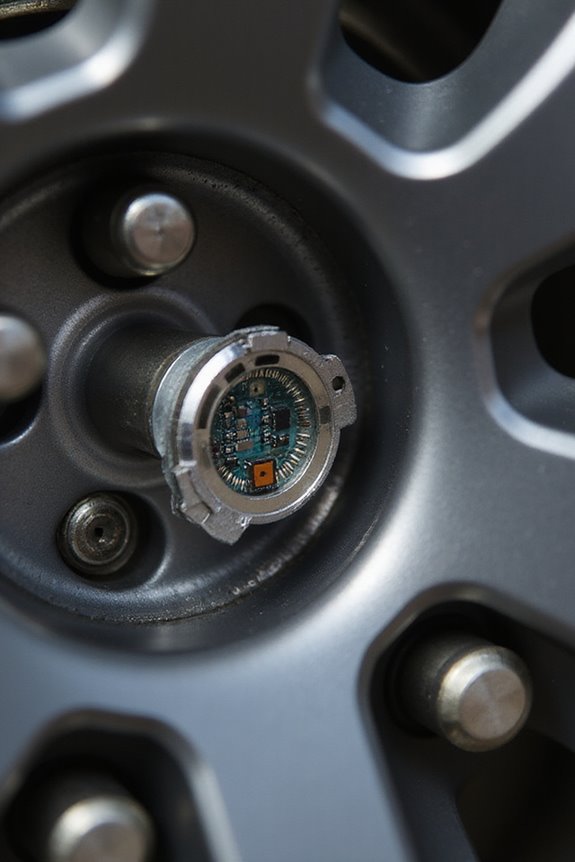
When troubleshooting a Tire Pressure Monitoring System (TPMS), it’s essential to understand that we might encounter a few common headaches along the way. For starters, sensor drift over time can lead to inaccuracies, meaning we may need to recalibrate or even replace the sensors.
We should also be mindful of electrical interference from nearby devices—yes, our cell phones or radios might be causing those pesky false alerts. Remember, any time we rotate tires or make pressure adjustments, recalibrating is a must! Additionally, proper installation of sensors is crucial for optimal functionality and accurate readings.
To sum it up: keep an eye out for these issues, check sensor signals, guarantee proper installation, and always adjust tire pressures before recalibrating. Let’s tackle this together and guarantee safety on the road!
Recommended Products

[2024 NEWLY UPDATE: Autel Ultra+EVDiag KIT] The Autel Scanner Ultra EV is a new generation of intelligent scan for electric, hybrid, gas vehicles. The Autel MaxiSYS Ultra EV provides a comprehensive analysis of electric and hybrid vehicles with expanded topology mapping and battery pack analysis . The 12.9-inch touchscreen tablet comes equipped with MaxiFlash VCMI measurement device, Bluetooth-enabled vehicle communication interface and J2534 pass-thru programming device, and a dedicated EVDiag box. (Autel Ultra: $4899 + EV Upgrade Box: $1000)

[ 2026 Advanced MaxiSys Ultra EV: Autel Ultra + EV Diag KIT ] The MaxiSys Ultra EV is a state-of-the-art diagnostic tool tailored for modern vehicles, including electric, hybrid, gas, and diesel engines. It offers an extensive range of capabilities, including detailed analysis of electric and hybrid vehicle systems, expanded topology mapping, and comprehensive battery pack diagnostics. The Ultra EV allows for these tests to be performed either through the OBD port or directly using specialized cables and jumpers provided with the device.

🅰🆄🆃🅴🅻 MaxiSys Ultra--Top Intelligent Scanner: As the most popular diagnostic scan tool to cover 1996 to 2026 latest cars, MSUltra is updated from MS908S Pro/Elite II Pro/MS909/MS919, it can also work with EV Upgrade Kit to work as Ultra EV scanner. Combined with 2000 bucks value 5-in-1 VCMI, 40+ 10 service services, 10+ high-end functions, and top-level hardware configuration, 99.99% vehicle coverage, this MaxiSys Ultra scanner is the best investment for large auto workshops.
Tools and Professional Assistance
Ensuring our Tire Pressure Monitoring System (TPMS) remains accurate and functional often calls for the right tools and, sometimes, professional assistance. Having exceptional TPMS tools, like the OTC TPR Kit, makes a world of difference during calibration. These tools feature straightforward navigation and automatic activation adjustments to avoid pesky sensor cross-interference. If DIY isn’t your style, tapping into professional assistance is a smart move. Skilled technicians utilize advanced diagnostic tools, ensuring everything’s perfectly programmed to your vehicle’s ECU. They can also update software to keep pace with new models, minimizing future headaches. Additionally, using an OBD-II scanner can enhance the calibration process by providing detailed diagnostics. Whether we’re gearing up with our own kits or leaning on the pros, maintaining our TPMS is key for a safe drive.
Takeaway: Invest in reliable TPMS tools, or consider professional help for optimal outcomes.
Recommended Products

【2026 Newest Ultra EV, Get Ready for EV Diagnosis】Are you ready to serve hybrid & electric vehicles? Due to special HV systems, Autel Ultra EV comes with battery pack analysis & HV system diagnostics for known EV brands including Tes1a, B.MW, MI。NI, VW, Au*di, BYD, etc. Besides that, Ultra EV, level-up of Autel Ultra, snap-on tools, features OE programming, intelligent diagnosis, topology map 2.0, 40+ service for 200 car brands, 10+ high-end functions, to rise your customer base.

Why We Updated MS908CV to MS908CV II Seeking faster diagnostic speed, the 2026 Autel MS908CV II upgrades hardware with the same CPU as MS909CV, runs on Android 10, and expands to 4GB RAM and 128GB storage with a 15000 mAh battery. The latest tech ensures future ready performance for more commercial and heavy duty vehicles from Class 1 to 9. MS908CV II improves 64 plus services, adds 3000 plus active tests, enhances ECU adaptation, and supports J2534 compatible updates for smooth operation.

Why We Updated MS908CV to MS908CV II Seeking faster diagnostic speed, the 2026 Autel MS908CV II upgrades hardware with the same CPU as MS909CV, runs on Android 10, and expands to 4GB RAM and 128GB storage with a 15000 mAh battery. The latest tech ensures future ready performance for more commercial and heavy duty vehicles from Class 1 to 9. MS908CV II improves 64 plus services, adds 3000 plus active tests, enhances ECU adaptation, and supports J2534 compatible updates for smooth operation.
Maintaining Tire Pressure Records and Service
Maintaining tire pressure records and service isn’t just a good idea; it’s essential for keeping our vehicles safe and efficient. By keeping detailed records, we can track changes in tire pressure over time, which helps us catch slow leaks or pressure losses before the TPMS alerts us. Each log not only documents our service history but also aids technicians when diagnosing those pesky recurring alerts.
Additionally, regular manual checks complement our TPMS, ensuring we understand what’s really going on. They also support our tire maintenance records—a perfect backup when claiming warranties. Let’s remember, staying on top of our tire pressure game means safer driving, better fuel efficiency, and extended tire life. Furthermore, powerful suction from a vacuum can effectively clean any debris that might affect our tire pressure monitoring systems.
Takeaway: Consistent record-keeping gives us peace of mind and proactive vehicle care!
Frequently Asked Questions
How Often Should I Check My Tire Pressure Manually?
We should check our tire pressure manually at least once a month. It’s smart to do this before long trips or heavy loads to guarantee safety and ideal tire performance. Regular checks can really help us.
What Is the Ideal Tire Pressure for My Vehicle?
The ideal tire pressure for our vehicle is found in the manufacturer’s guidelines. Let’s check those tire pressure specifications on the sticker inside the door jamb to verify our ride feels safe and comfortable.
Can Weather Affect Tire Pressure Readings?
Just like how a balloon expands and contracts with temperature fluctuations, our tires feel the effects of barometric pressure changes too. Let’s remember to check our tire pressure regularly, especially in wild weather shifts.
How Do I Know if My TPMS Sensor Is Working?
To know if our TPMS sensors are working, we should check for warning lights, use diagnostic tools for functionality tests, and perform regular sensor maintenance to guarantee everything’s running smoothly and safely on our journeys.
What Happens if I Ignore the TPMS Warning Light?
If we ignore the TPMS warning light, we’re risking tire safety and inviting sensor malfunctions. Let’s prioritize our safety and avoid potential blowouts by addressing those alerts promptly, ensuring a smoother, worry-free driving experience together.


